
Soragaki 2st1.2.2 - App Store
You'll be able to see results in few seconds.
Publisher Description
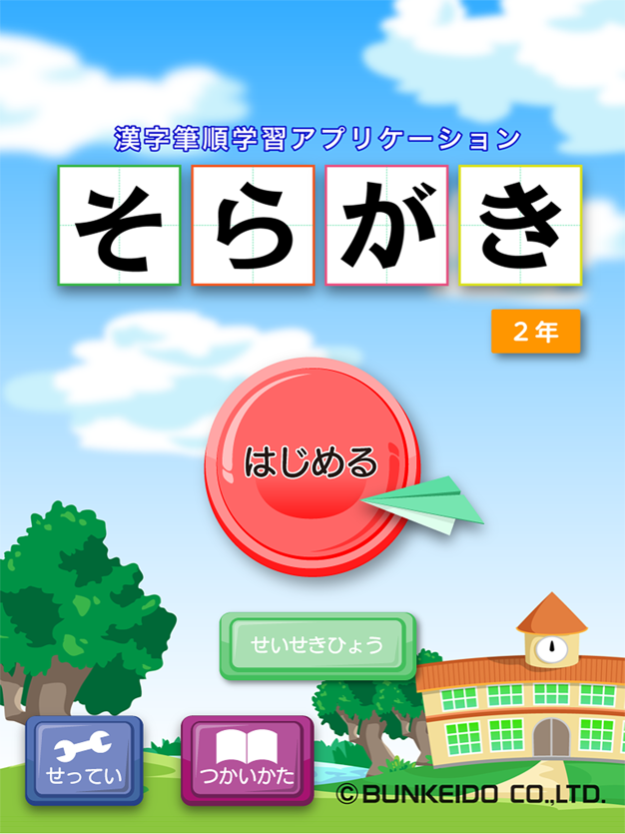
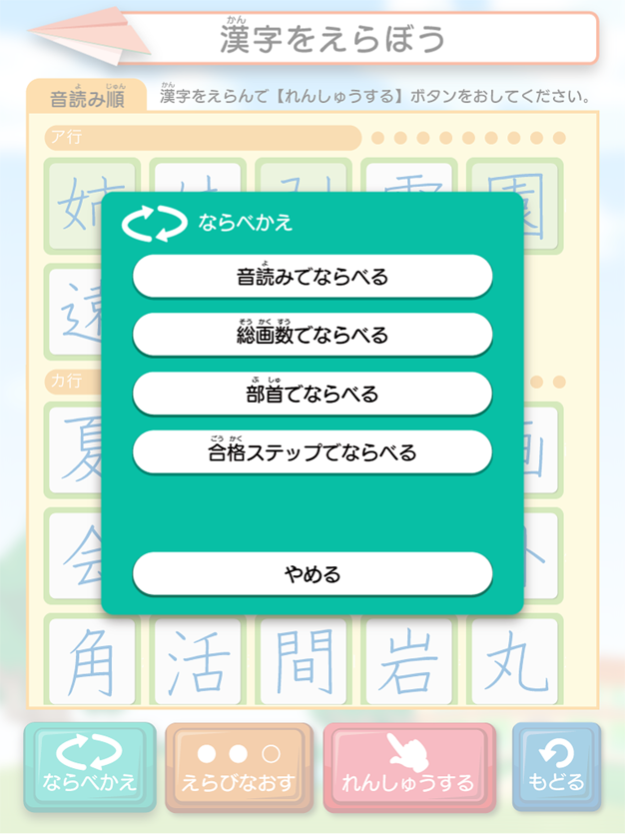


Soragaki software, the application software for mastering the stroke order of Chinese characters, has been invented for elementary school students to learn both the right stroke order and the form of Chinese characters by tracing over model characters on the screen of the tablet computer with a stylus pen or fingers at three levels. As a result, elementary school students can master not only the stroke order and the form of Chinese characters but also an appropriate way of finishing each stroke.*
Traditionally, the word "Soragaki" means the method used to teach children the correct stroke order and the form of Chinese characters. When translating "Soragaki" into English, one can translate the word as "writing in the sky". As this translation shows, "Soragaki" is a dynamic method to give the discipline of writing Chinese characters to the learners. This time, we made a success in replicating the features of "Soragaki" in a tablet computer. Mastering the correct stroke order leads to the acquisition of the ability to write in a good hand. At the same time, students are likely to study Chinese characters, which are new to them, enjoying without any mental suffering.
This Soragaki software includes all of the Chinese characters that should be learnt in elementary school. Besides that, we made lots of efforts toward showing letters clearly in the same font type as the textbook in order to enable the students to study comfortably. Moreover, the learners will obtain special information about the character such as how to use the character, the motion picture of the stroke order, and the derivation of the character. Each time the learners master the each character, they will get a mark of the flower on the character as a prize. This special prize will surely accelerate students' motivation to learn and finally fill the students' hearts with satisfaction with accomplishment.
*Chinese characters have three types of ways of ending each stroke.
1."Tome" : finishing a stroke with complete stop
2."Hane" : finishing a stroke with a sharp hook
3."Harai" : finishing a stroke smoothly without making rapid stop
- Specific functions of Soragaki software
・ It contains all the Chinese characters that the Ministry of Education, Culture, Sports, Science and Technology formally regards as mandatory in elementary school.
・ The mandatory characters in each grade can be sorted depending on the pseudo-Chinese reading of each character, stroke count, or the radical of each Chinese character. Therefore, students can freely learn the characters that they want to master.
・ It requires its users to practice Chinese characters at three levels, which guarantees them that they can effectively learn the characters.
Apr 28, 2021
Version 1.2.2
iOS14 is now supported.
About Soragaki 2st
The company that develops Soragaki 2st is BUNKEIDO CO.,LTD.. The latest version released by its developer is 1.2.2.
To install Soragaki 2st on your iOS device, just click the green Continue To App button above to start the installation process. The app is listed on our website since 2021-04-28 and was downloaded 0 times. We have already checked if the download link is safe, however for your own protection we recommend that you scan the downloaded app with your antivirus. Your antivirus may detect the Soragaki 2st as malware if the download link is broken.
How to install Soragaki 2st on your iOS device:
- Click on the Continue To App button on our website. This will redirect you to the App Store.
- Once the Soragaki 2st is shown in the iTunes listing of your iOS device, you can start its download and installation. Tap on the GET button to the right of the app to start downloading it.
- If you are not logged-in the iOS appstore app, you'll be prompted for your your Apple ID and/or password.
- After Soragaki 2st is downloaded, you'll see an INSTALL button to the right. Tap on it to start the actual installation of the iOS app.
- Once installation is finished you can tap on the OPEN button to start it. Its icon will also be added to your device home screen.
Program Details
System requirements
Download information
Pricing
Version History
version 1.2.2
posted on 2021-04-28
Apr 28, 2021
Version 1.2.2
iOS14 is now supported.
version 1.2
posted on 2012-07-29
Disclaimer
Official App Store Link
We do not host Soragaki 2st on our servers. We did not scan it for viruses, adware, spyware or other type of malware. This app is hosted by Apple and passed their terms and conditions to be listed there. We recommend caution when installing it.
The App Store link for Soragaki 2st is provided to you by apps112.com without any warranties, representations or guarantees of any kind, so access it at your own risk.
If you have questions regarding this particular app contact the publisher directly. For questions about the functionalities of apps112.com contact us.
